Integration Managers open the portal every morning. Here is what each page is for, so you know where to click before we start building. Log in at integration-portal.staging.iremboinc.com with your staging account.
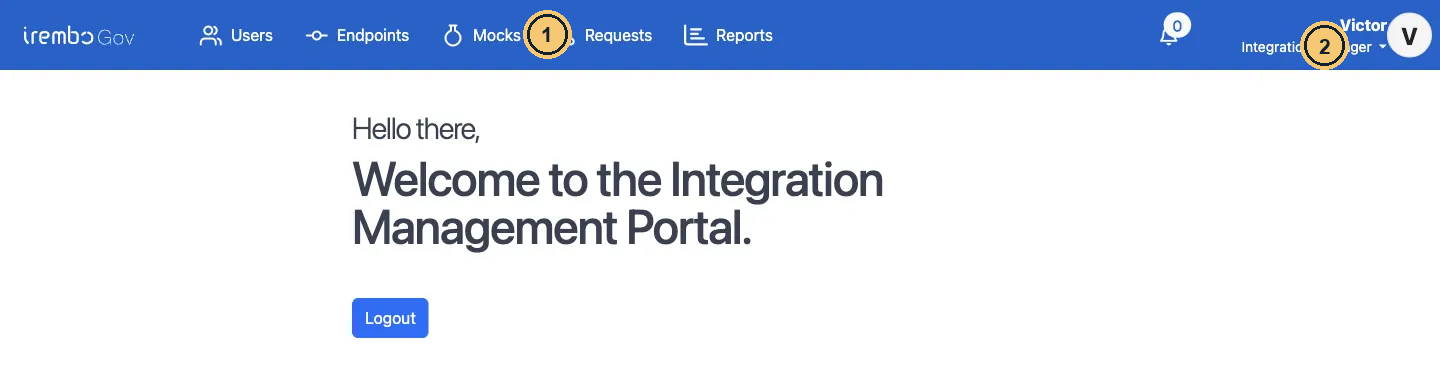
Portal home after login (staging)
- Top navigation: every page you work in.
- Your name and active role. It must say Integration Manager to build endpoints and mocks.

The top navigation on staging
- Users: invite and deactivate Integration Support colleagues.
- Endpoints: the saved integrations (URL + mapping).
- Mocks: fake partner APIs for testing (Manager only).
- Requests: every call, with traces and resubmit.
- Reports: dashboards, when enabled. Adapters and Scheduled Endpoints only appear if your account has those grants.
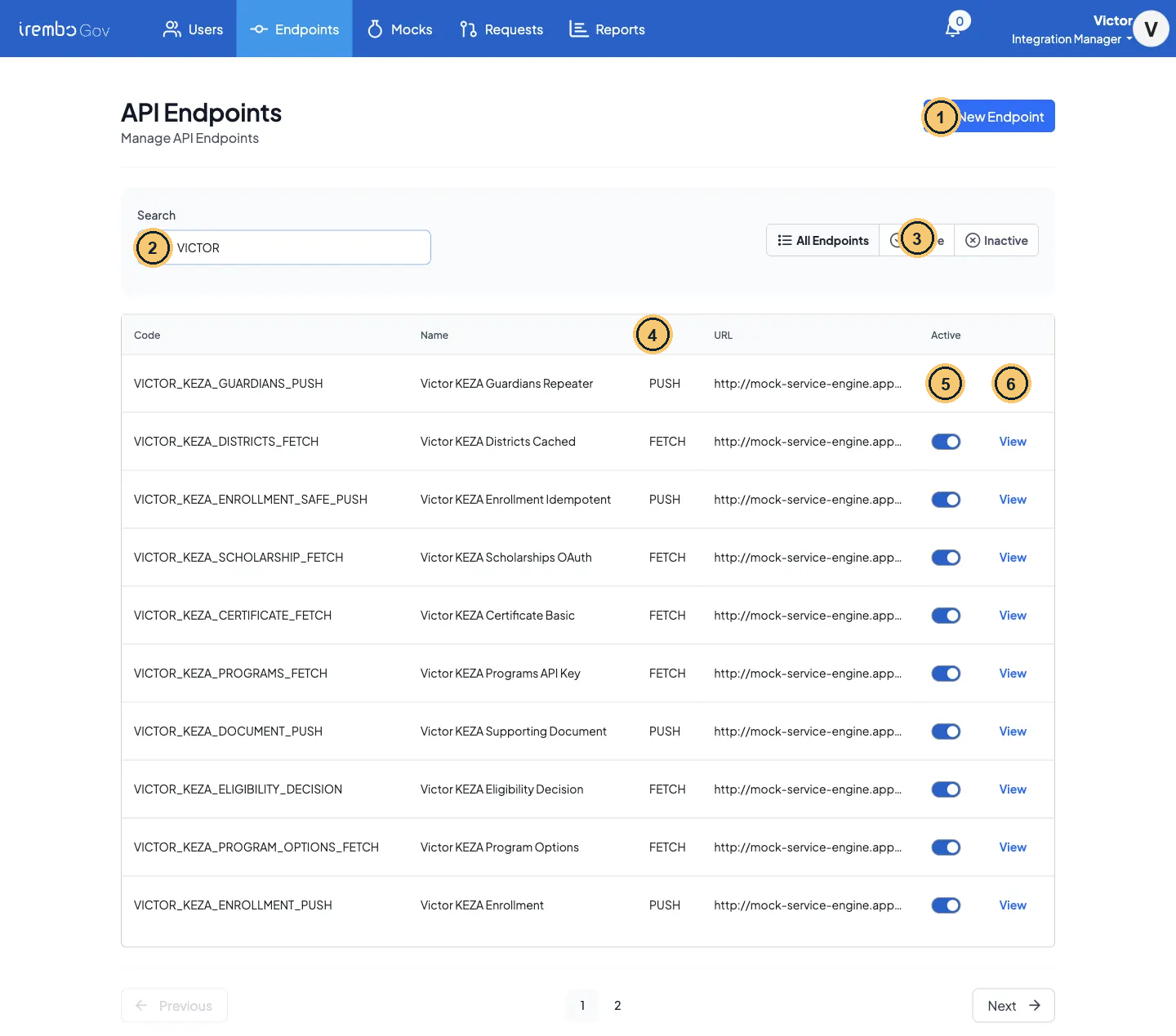
Endpoints, filtered on VICTOR
- New Endpoint opens the create form.
- Search by code or name: use your personal prefix.
- All / Active / Inactive filter.
- Type: FETCH or PUSH, set by the adapter.
- Active switch (a label only: the engine does not enforce it).
- View opens the details pane.
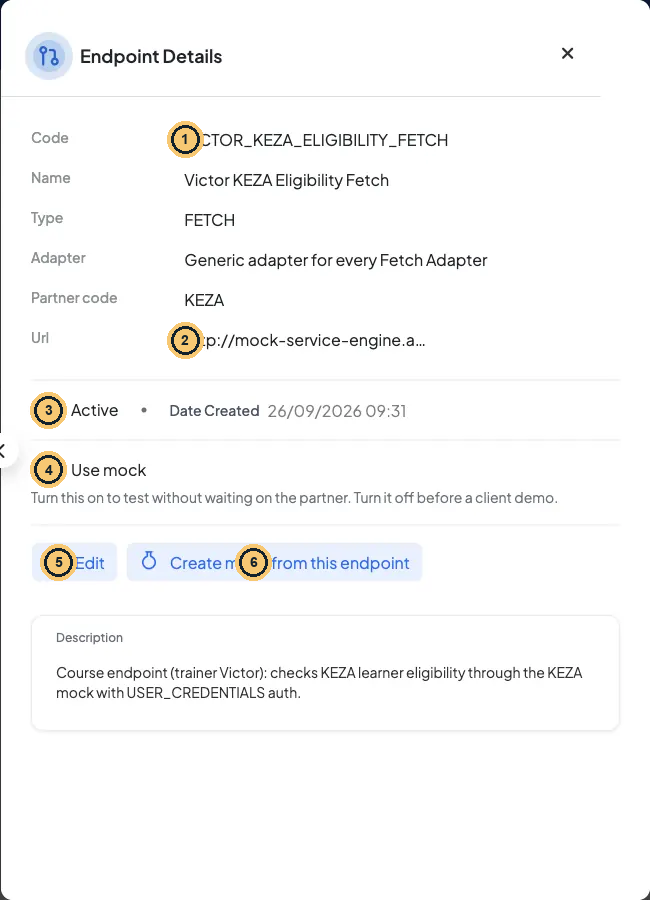
Endpoint Details pane
- Code, name, type, adapter and partner: code, adapter and partner can never change.
- The URL the engine calls.
- Active was switched off after the course calls, to show the flag. The engine does not check it at runtime (Lesson 6.4).
- Use mock (staging/sandbox only): switch between Endpoint url and Mock url.
- Edit: change URL, name, description, mapping.
- Create mock from this endpoint: prefilled New Mock (Lesson 6.4).
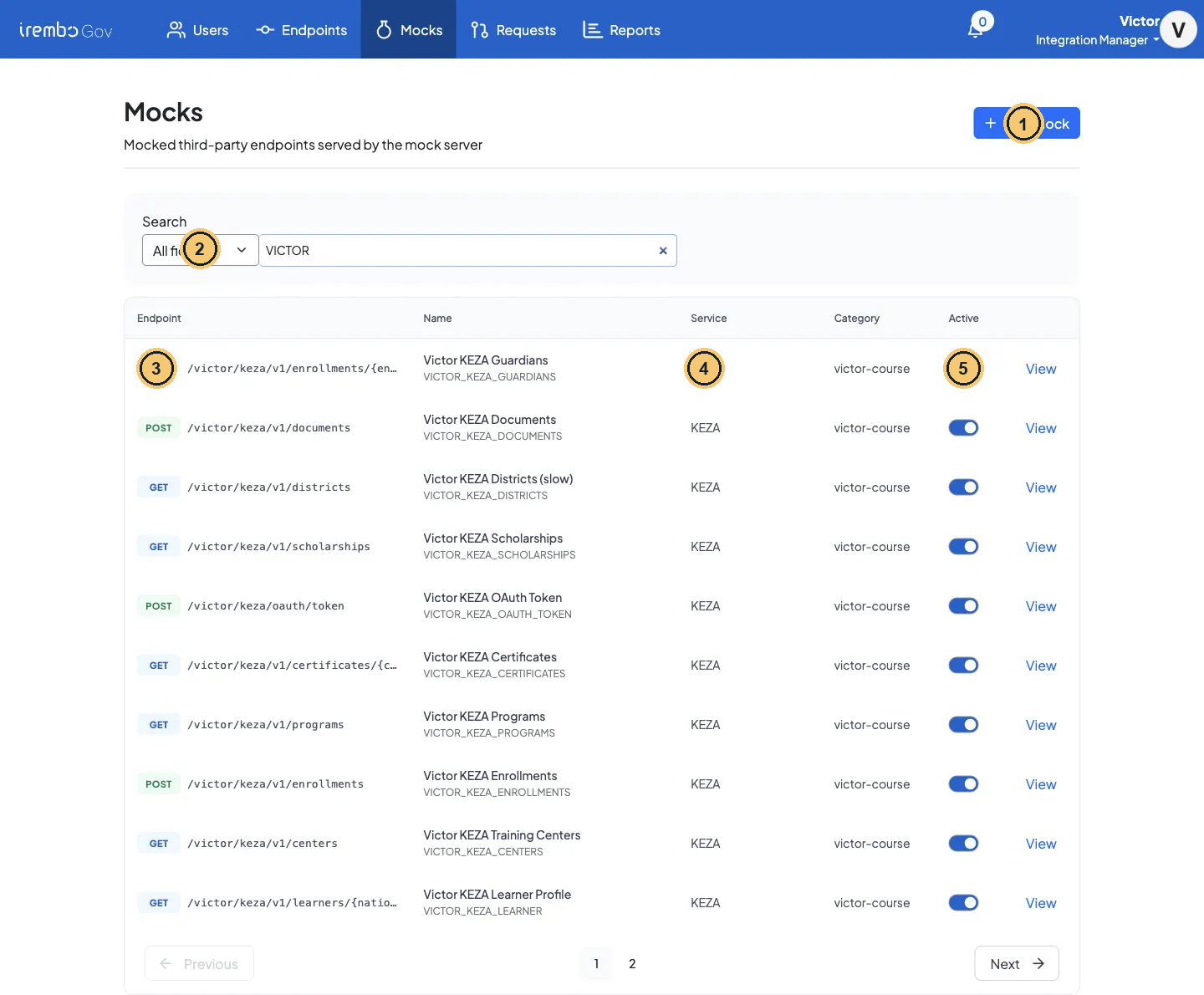
Mocks list, filtered on VICTOR
- New Mock.
- Search in all fields, or pick route, code, name, service or category.
- Method + path the mock server answers (path variables in {braces}).
- Service and category: use them to group your mocks.
- Active: only active mocks are served.
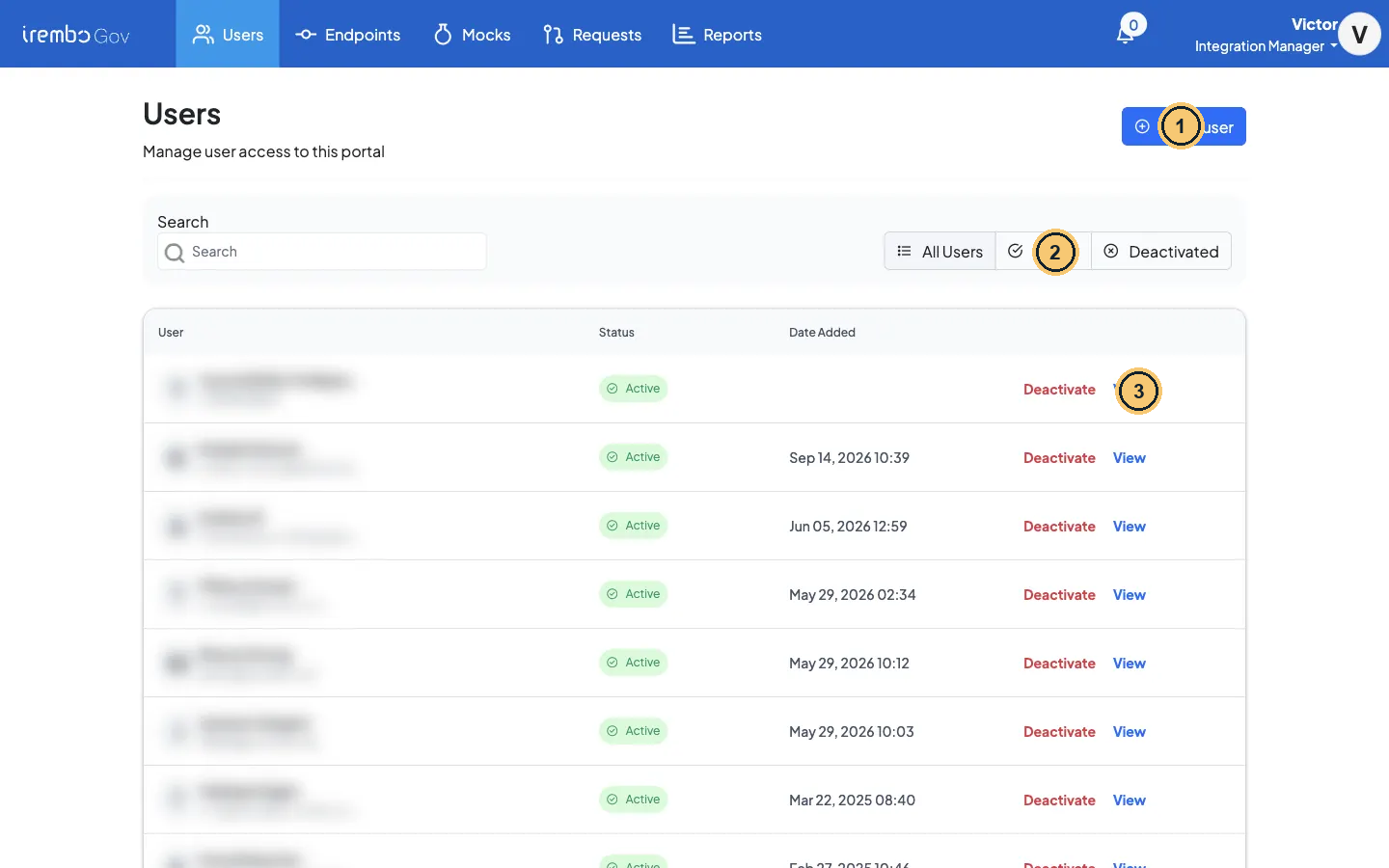
Users: the support colleagues you manage (names blurred)
- Invite user: add an Integration Support colleague.
- Filter All / Active / Deactivated.
- Deactivate removes the support role; View opens User info.
Where do I…?
| I need to… | Go to | Notes |
|---|---|---|
| Simulate a partner that is not ready yet | Mocks → New Mock | Rules, default response, dynamic templates, delay |
| Configure a partner operation | Endpoints → New Endpoint | Adapter, code and partner are locked after saving |
| Point an endpoint at its mock (and back) | Endpoints → open endpoint → Use mock | See Module 6: switch it off before go-live |
| See what happened to a call | Requests → View | Request info, communication trace, original payload |
| Re-send a failed push | Requests → open the request → Resubmit (one at a time), or tick FAILURE rows → Resubmit selected | Resubmit selected queues async pushes only; fetches cannot be resubmitted |
| Give a colleague support access | Users → Invite user | Invites Integration Support users |
| Run a fetch then a push on a timer | Scheduled Endpoints (/dashboard/jobs, needs the JOB grant) |
Lesson 6.5: pull the KEZA exam schedule every morning |
| Volumes and failure rates | Reports, or Requests → Export data | Reports is an embedded dashboard where enabled (not on staging); the CSV export always works |
Gotcha · Some settings are API-only
A few engine features have no portal screen: the mapping test endpoint, per-endpoint timeouts, custom config and partner callback config. You will call the mapping test with curl in Lesson 1.6. For the others, ask the platform team.
¶ Check yourself
A partner call failed at 10:42 and the service team asks what KEZA answered. Where do you look first?
- A. Requests → View → Communication Trace
- B. Endpoints → the endpoint’s mapping test output
- C. Mocks → the rules of the KEZA mock
- D. Reports → the failure-rate dashboard
Show the answer
A. The communication trace in Requests shows the exact request the engine sent and the exact response it received.
Your turn · find the reference endpoint
Log in to the staging portal. In Endpoints, search for
VICTOR_KEZA_ELIGIBILITY_FETCHand open it (read only: never edit the reference objects). Then open Requests and filter on the same endpoint.Done when: your evidence pack has the endpoint’s adapter, its Active flag and the date of its latest Request.
← 1.1 How an IremboHub integration works · 1.3 Read a partner contract: the KEZA worksheet →